Starting a new adventure. Developing a game. Figured I’d do it around the concept that fascinated me most when I was young and still continues to do so, because like any true desire, it remains unreachable: travelling to bizarre unknown worlds and doing it twice a day (three on weekends).
Four weeks into development, WorldHopper has its first video devlog. It is still a greybox prototype, with some of the gameplay mechanics in place, but there is enough taking shape to share the beginning.
The idea is to build WorldHopper out in steps. First, I want to finish a small, playable demo with just a couple of worlds, bringing the core mechanics together into something that can be played from start to finish. Then I’ll build on that foundation, adding more worlds and developing the systems into a more detailed, complex game.
A game about exploring worlds
WorldHopper is a game about world exploration. The plan is to give players many different worlds to discover, each with its own quests, enemies, and puzzles. Stepping into another world should bring new places to investigate and new challenges to work through.
That is the larger vision. The current build is an early foundation: a greybox prototype for developing and testing the mechanics that will support those adventures. The first video documents this stage of the process, including early gameplay and a glimpse of the direction ahead.
The tools behind the prototype
WorldHopper is built in Unity 6.3, around the Game Creator 2 stack. Melee, Perception, Behavior, Inventory, and other GC2 systems provide the foundation for the gameplay. Synty assets are part of the project’s visual toolkit.
The development workflow also uses two coding agents: Claude writes the game code, and Codex checks it. That is separate from the in-game AI, which is built with Game Creator 2’s control structures.
Giving the zombies their behavior
The zombies are driven by a GC2 FSM—a Finite State Machine. The graph below shows the current structure, including hostile, stunned, gift acceptance, friendly, and dead states. It also includes a path for ending a friendship.
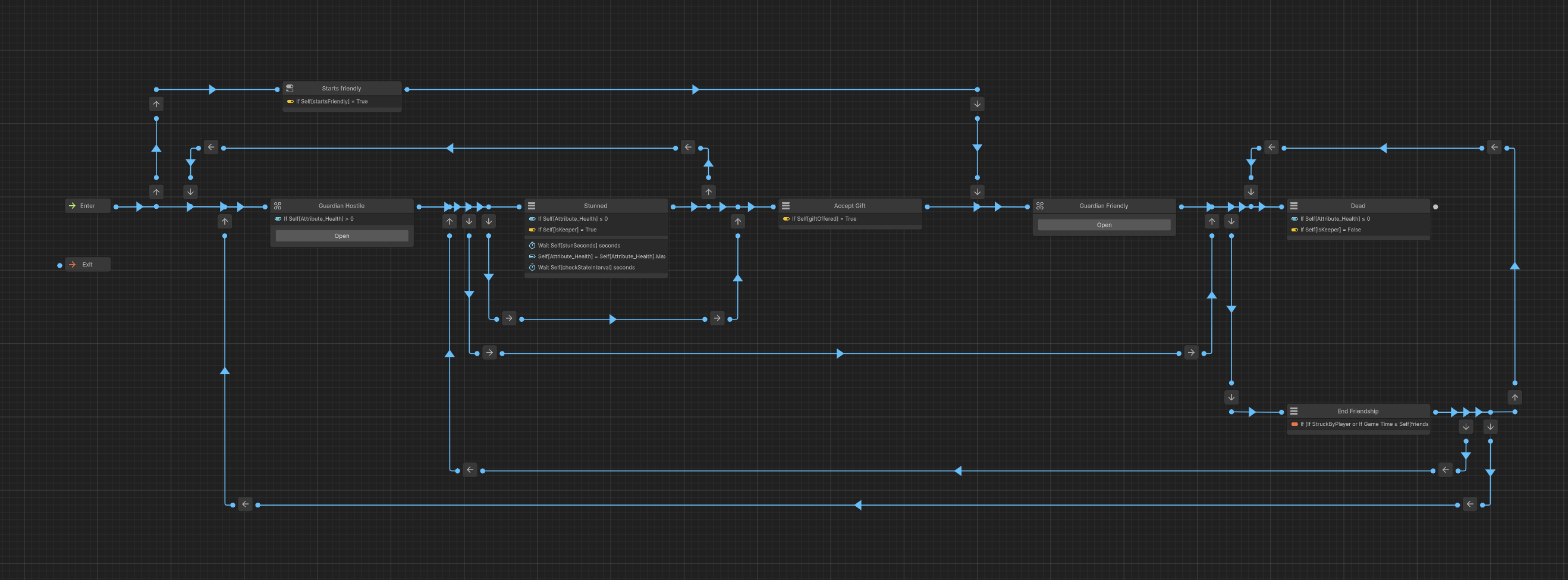
These states and their transitions define how a zombie responds as its situation changes. Even at this early stage, its behavior can extend beyond simply being an enemy: becoming friendly, and later returning to hostility, are part of the structure.
Controlling the player with a Utility Board
The player is controlled by a GC2 Utility Board—a control structure I was unfamiliar with until Claude suggested it. So far, it seems to work quite well.
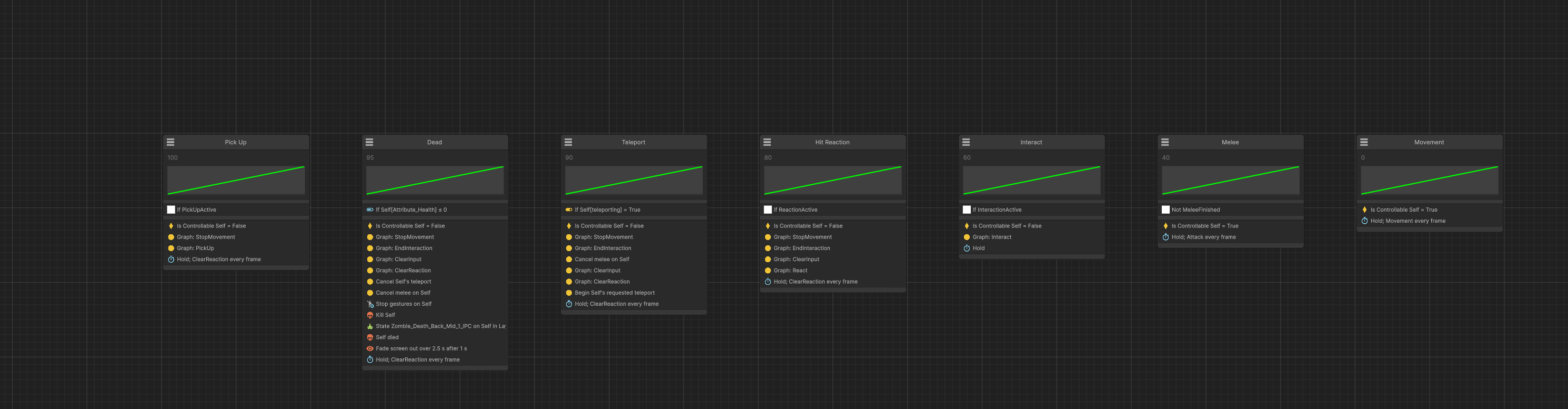
The board below brings together Pick Up, Dead, Teleport, Hit Reaction, Interact, Melee, and Movement, with conditions and scores that determine which action takes control. It makes the competing demands on the player character easy to inspect in one place: moving, attacking, reacting to a hit, or completing an interaction.
Fighting back
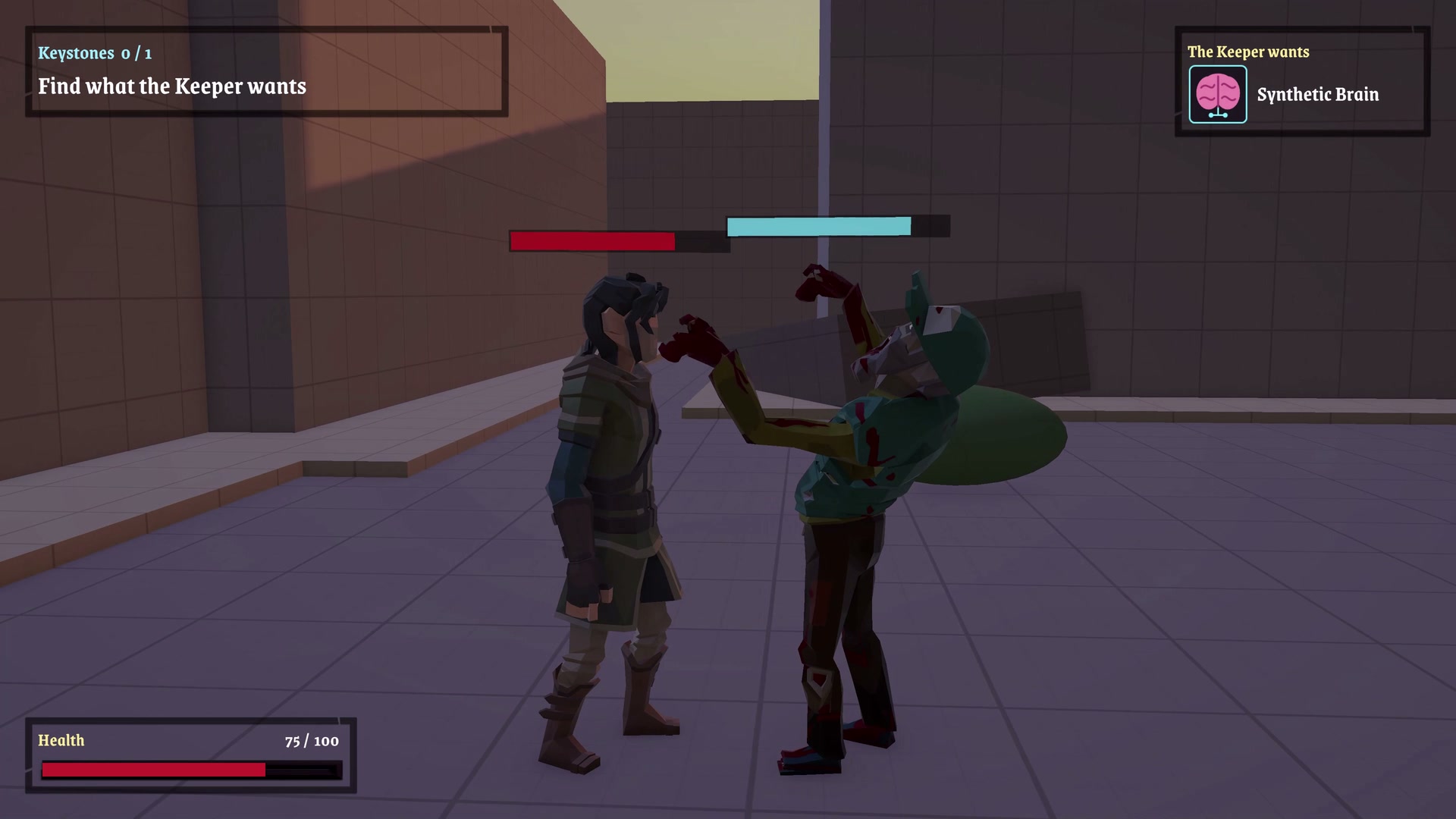
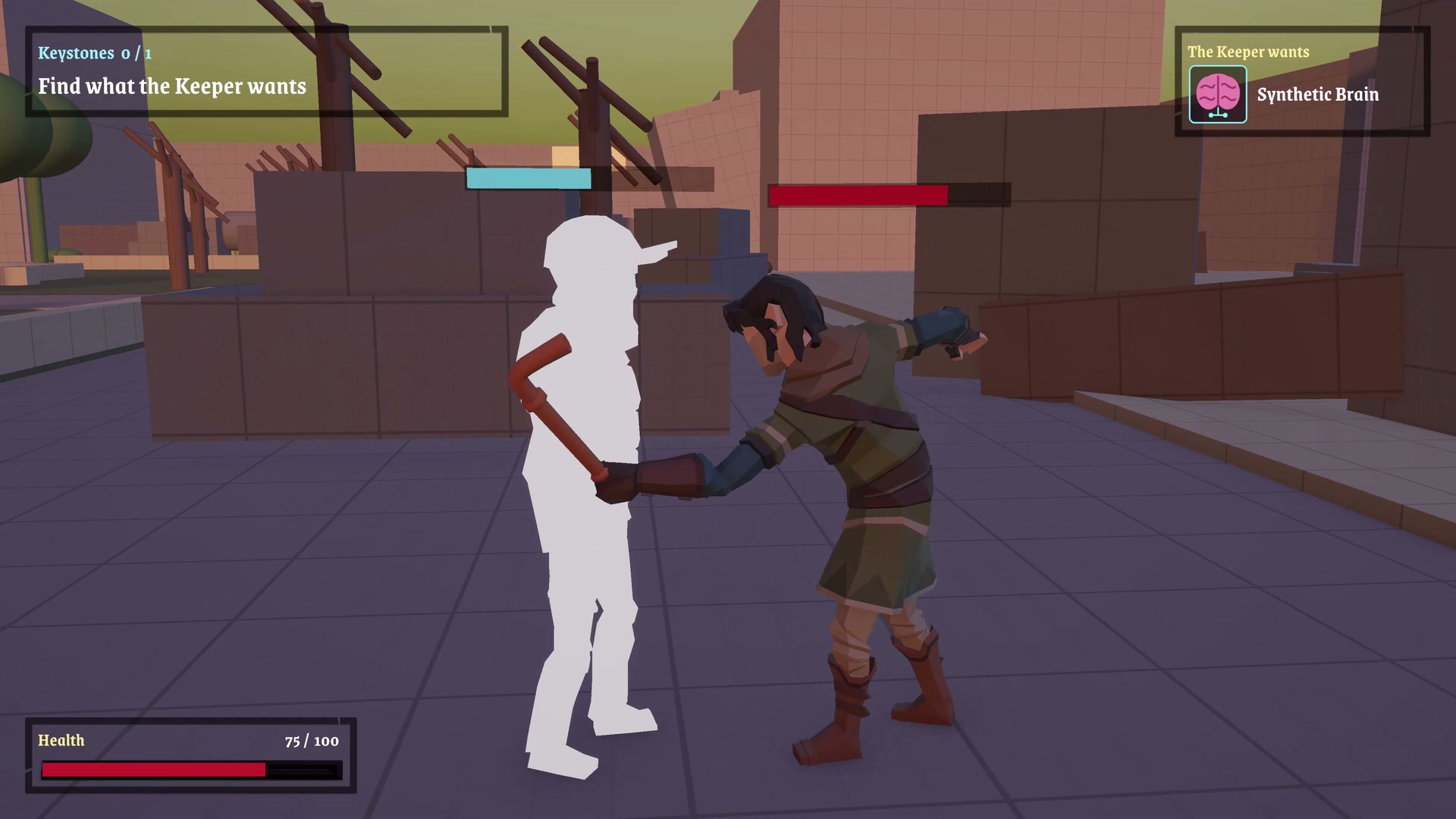
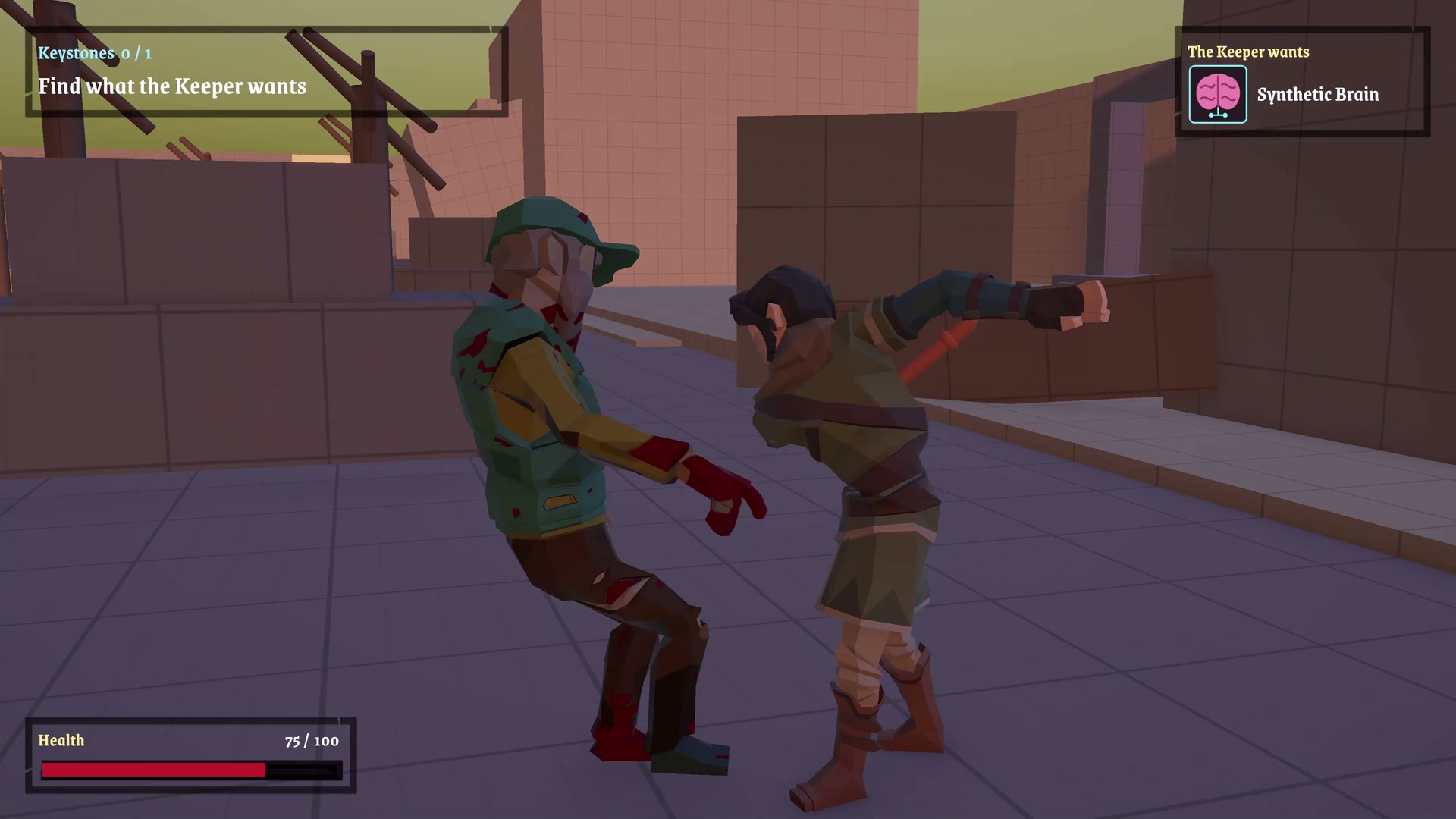
The prototype already includes fighting with fists and a pipe, built around the GC2 Melee stack. At this stage, the feedback matters as much as the attack itself: the player needs to be able to tell when a blow connects and how the enemy responds.
These frames from the devlog show that feedback taking shape: a zombie recoiling during unarmed combat, a bright white flash at the moment of a pipe hit, and the body reacting to the follow-through. Even in a greybox environment, those reactions help make the exchange readable.
Making interactions work
Final IK drives the current character interactions and is the foundation for future ones. Its inverse kinematics tools help align the character’s body and limbs with the objects it interacts with.
Final IK is a powerhouse of inverse kinematics. It gives Claude all the tooling it needs to build these interactions, but it still takes a bit of supervision for the results to make sense. A hand reaching its target is only part of the job: the grip, the object’s orientation, and the rest of the body need to agree about what is happening.
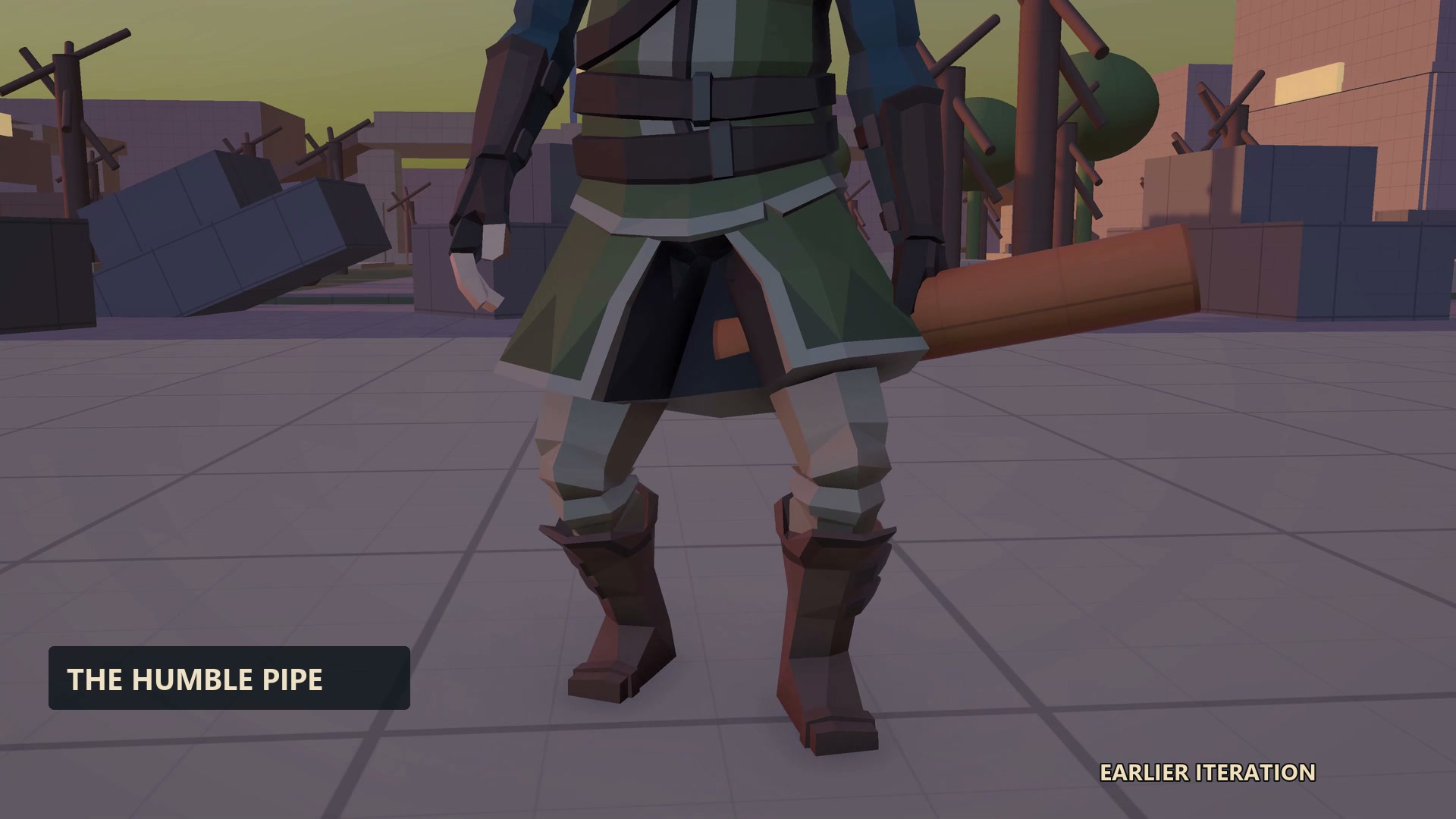
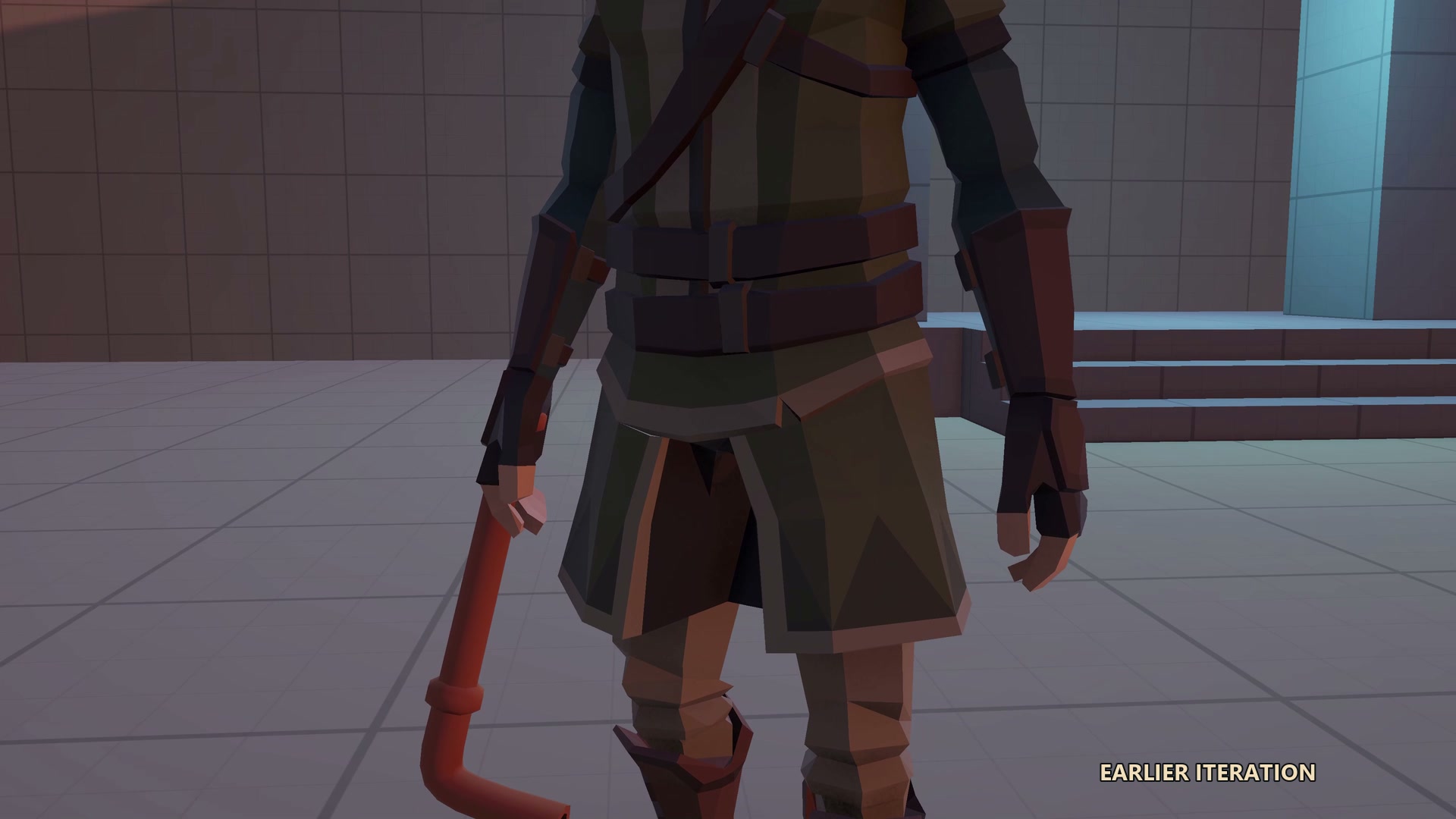
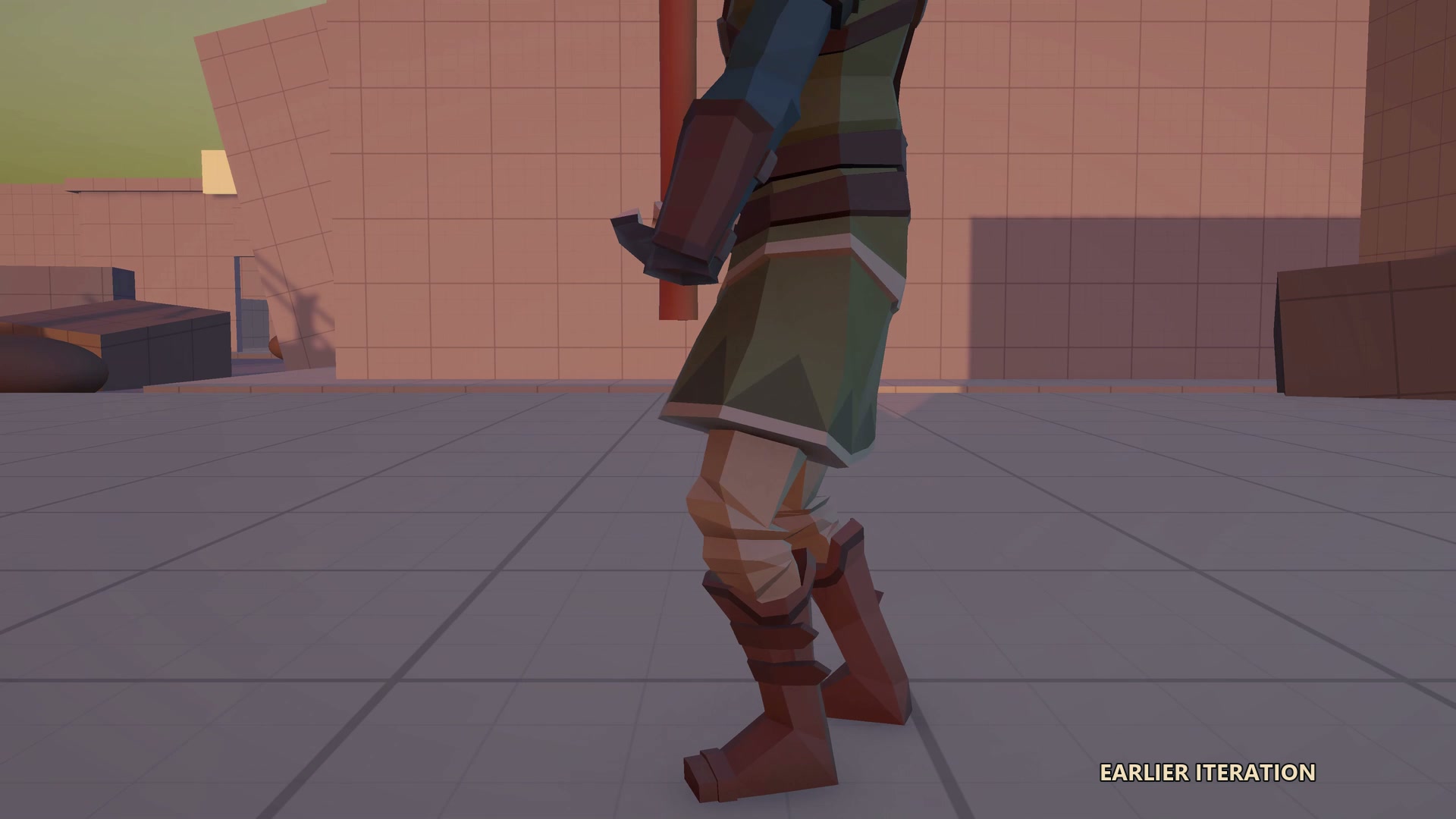
The earlier pickup attempts in the video make that point better than a clean demo could. Pipes end up in strange places, hands fail to close around them, and poses need another pass. These bloopers are snapshots of the iteration process, and a reminder that working code still needs a visual sanity check.
Future: building out the worlds
The first milestone is a small, playable demo with a couple of worlds. That gives me a manageable space to bring exploration, combat, interactions, and quests together, play through the result, and find out what needs to change. From there, I want to build toward a more detailed and complex game, one step at a time.
Audio and lighting will do a lot of the work of giving each world its atmosphere. Ambient sound, music, footsteps, and combat and interaction effects need to make places feel alive and actions feel responsive. Lighting will help establish each world’s mood while guiding the player toward places worth exploring.
Kitbashing, world design, and character design will take the environments beyond the greybox stage. I want to combine and adapt assets into places with their own identity, then fill them with characters and enemies that belong there. The layout of a world, its landmarks, and the routes through it should make exploration rewarding.
Quest and puzzle design will give players reasons to explore those spaces. The aim is to connect objectives to the worlds and their inhabitants, with discoveries and challenges that make the journey interesting. The small demo will be a chance to work out how those pieces fit together before expanding their scope.
Inventory, skills, and UI also have plenty of room to grow. Items need useful roles, skills need to give the player meaningful ways to develop, and the interface needs to make equipment, abilities, objectives, and interactions easy to understand. Alongside those systems come balancing, animation polish, saving progress, testing, and all the small details that turn a prototype into a game.
There is a lot ahead, but these first four weeks have made me feel confident that Claude and I can do it. It will take iteration, supervision, and plenty of playtesting. Starting with a couple of worlds gives us something concrete to finish, learn from, and build on.
There is still plenty to build, from expanding the mechanics to creating the worlds, quests, enemies, and puzzles that will give them a purpose. This first devlog marks where WorldHopper stands after four weeks, and the start of documenting what comes next.
More to come, stay tuned!